
What is an ICP?
An Ideal Customer Profile (ICP) is a detailed description of the perfect customer for a business. It includes characteristics such as industry, company size, location, budget, and specific needs that align with the company’s products or services. By defining an ICP, businesses can focus their marketing and sales efforts on prospects that are more likely to become loyal, long-term customers, ensuring a better match and higher success rate in closing deals.
You are unable to move about your new dashboard until an ICP is set. The IDEX Pro sales team will help get you started with a complimentary ICP setup. Please feel free to edit or replace this complimentary service if you want to change the profile that was set by our team.
The ICP is specific to Business plans. This is not a feature of consumer plans.
You can find your ICP set up here:
Configuration – ICP Definition.
These can be edited at any time after they have been set.
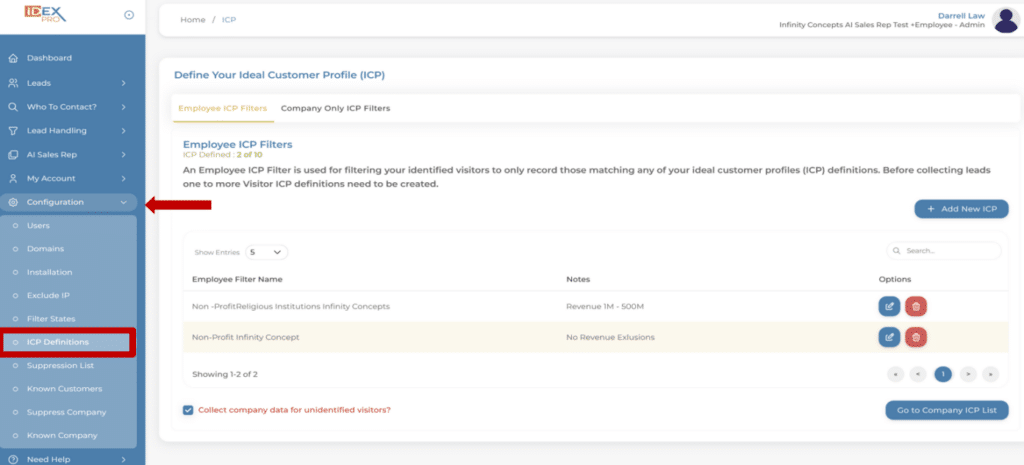
Setting up your ICP:
The first step to setting up your B2B account is to set your Ideal Customer Definition.
Directly below are the basic steps. Further down, we explain our recommended tiered approach.
Step 1:
If you are just creating your account, you will be automatically directed to the pop-up window for you to begin defining your ICP’s.
If you skipped this initially or to add more ICP definitions, go to: Configuration- ICP Definitions.
Step 2:
Select your criteria.
This will be the definitions for your ICP.
Step 3:
Save your selected criteria.
IDEX Pro Recommendations for Success
To get the most accurate results, we recommend adding filters one at a time to fine-tune your ideal customer profile. Below are key criteria options to consider when defining your ICP:
- Job Function
- Job Level and Employee Size
- Company Industry
By strategically applying these filters, you can ensure your prospect list aligns with your business’s most valuable opportunities.
Your Select Criteria is an “Or” statement. Ex: Marketing or Sales.
Your next ICP for Company Employee Size (see photo 2) is an “And” statement. Marketing or Sales and 1-10 employees.
Breaking down setting up your ICP.
Job Function:
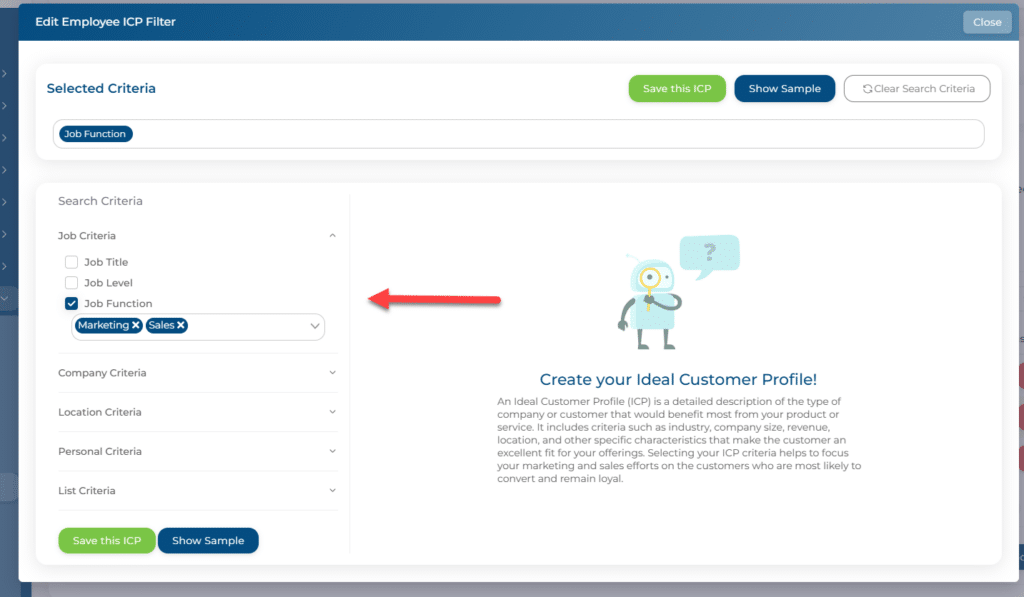
We have: Marketing OR Sales.
Add your note and hit save. This is one ICP.
Company Employee Size:
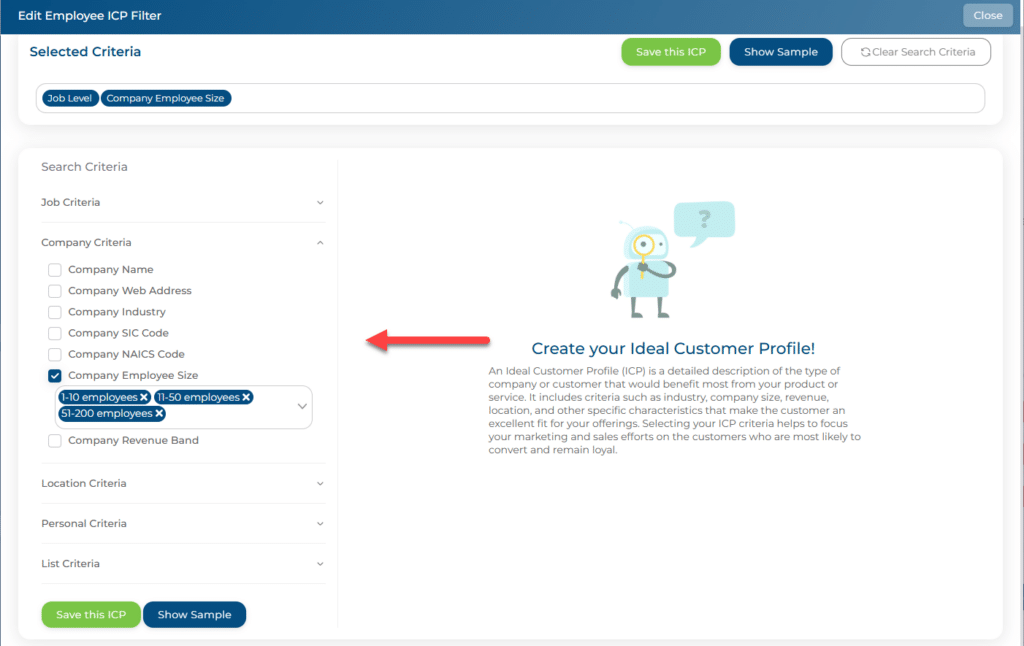
Add your note and save this. This is your 2nd ICP, your AND statement.
Company Industry:
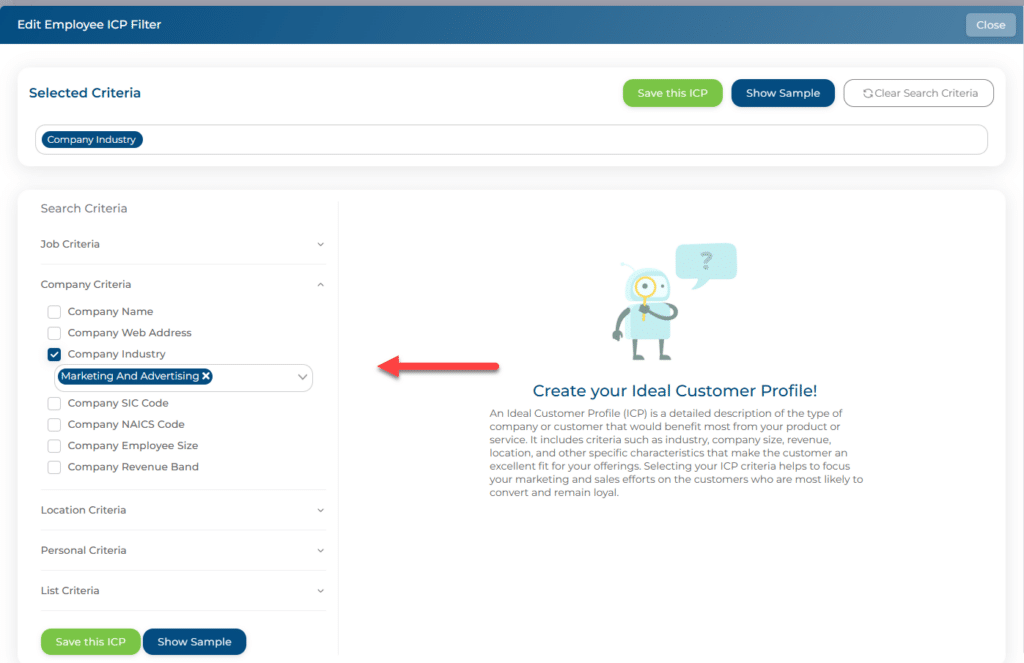
Add your note and save this. This is your 3rd ICP.
Examples of ICP Definitions
These settings help define your ideal customer profile:
- The system identifies prospects who work in Marketing/Advertising and are employed at a company with 1-10, 11-50, or 51-200
- If a visitor doesn’t match one criterion, the system moves to the next available option. For example, if a visitor’s company size isn’t 1-10, it will check 11-50, then 51-200until a match is found
Your ICP definitions will look something like this:
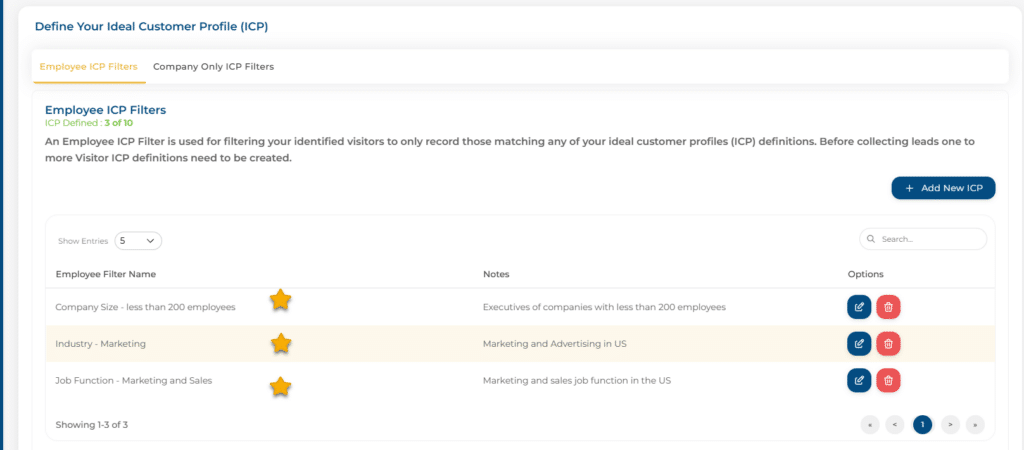
A broader ICP may capture more visitors, but they may be less qualified.
For example, a more flexible ICP might focus solely on Location, selecting specific states or cities within your service area to ensure relevance.
We recommend defining your ICP to save identifications and gather qualified leads.