
What Is a Connector?
IDEX Pro offers a great feature called Connectors. Connectors automatically connect emails and newsletters using programs such as GoHighLevel, which we will discuss in this article, to get your leads into your mail platform easily.
These identified leads automatically push into your connector’s selected mail list. The lead information sent to your system will include names, email addresses, and physical addresses. Additionally, the connectors will query your list to prevent any duplicates from being sent.
How to Set Up Your Connector
For this article, we will be using GoHighLevel as our connector example. The process is about the same for the other connectors as well, and we will go over those in separate articles.
Step 1:
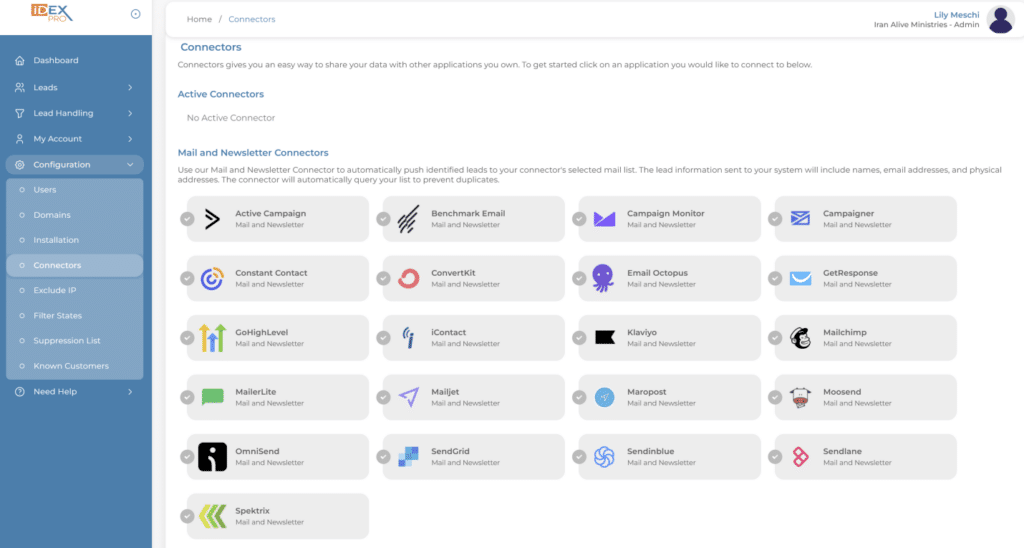
From your dashboard, select the Configurations tab and select Connectors. You will see a list of many other options. Select the connector you want to connect to. For this example, we are selecting GoHighLevel.
Step 2:
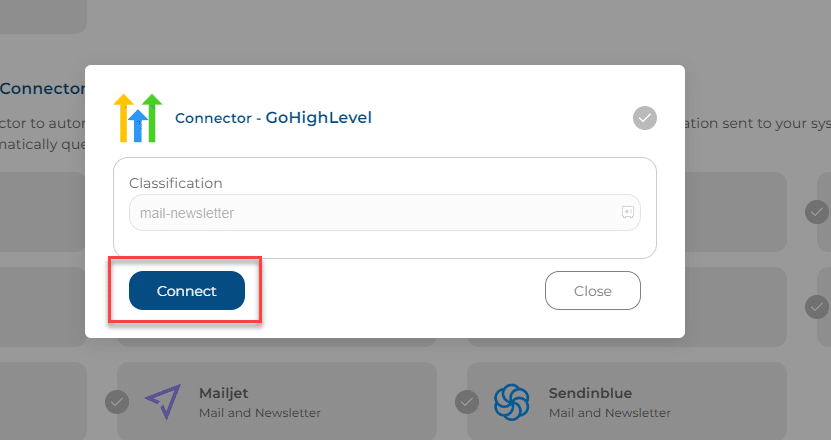
You are going to select the GoHighLevel connector, and the pop-up box will appear. Select ‘Connect.’
Step 3:
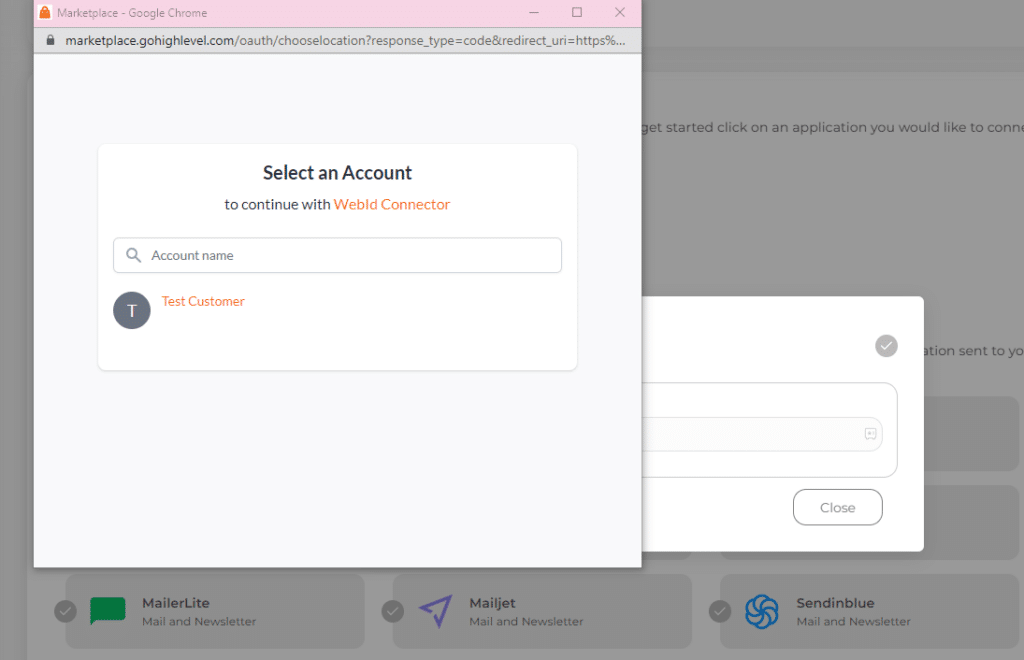
After you have selected ‘Connect,’ it will have you log into your GoHighLevel Account and select the mail list.
Step 4:
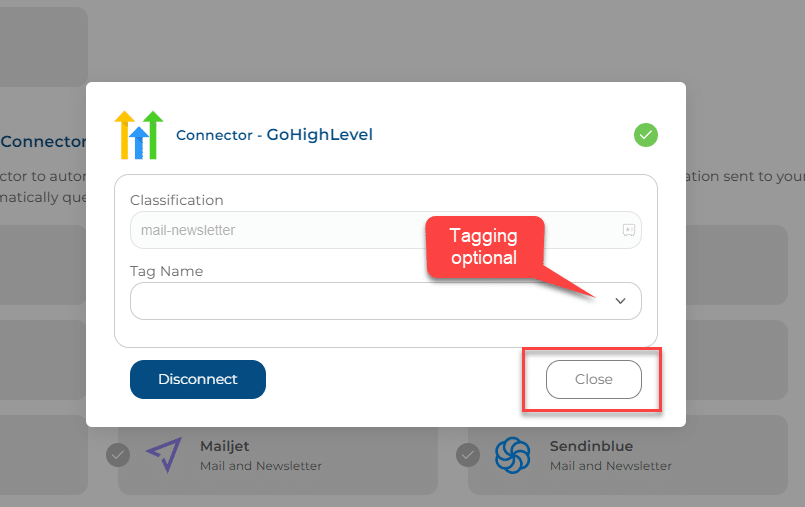
A box will pop up with a drop-down menu for you to add a Tag Name if you would like. If everything looks good, select close.
You Are Connected!
Congratulations! If you see GoHighLevel with a green check mark under Active Connectors, you have successfully added your connector. Your identified leads should begin filtering into your mailing list immediately.