What is Cookie Consent Banner?
Cookie consent is the website visitor’s permission to allow a company to place a cookie in their browser to gather specific data about them. Cookie consent is required to lawfully obtain most of the different types of data you collect via your cookies. IDEX Pro provides complimentary Cookie Consent Banners for you, but you do have the option to use your own.
Want to use your own consent banner?
Step 1:
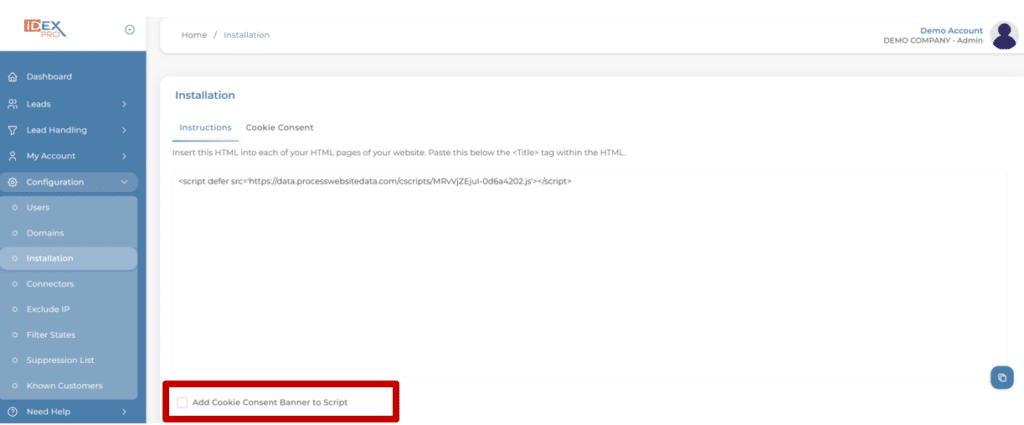
To turn off the generic cookie banner in your dashboard, go to ‘Configuration -> Installation’. The Instructions tab will be automatically selected.
Step 2:
Down towards the bottom of the page is a selection box where it says “Add Cookie Consent Banner to Script”. If the box is checked, uncheck that box to request that the automatic banner be turned off. This means your IDEX Pro code will no longer have the script for the banner, and you now must install your own.
Step 3:
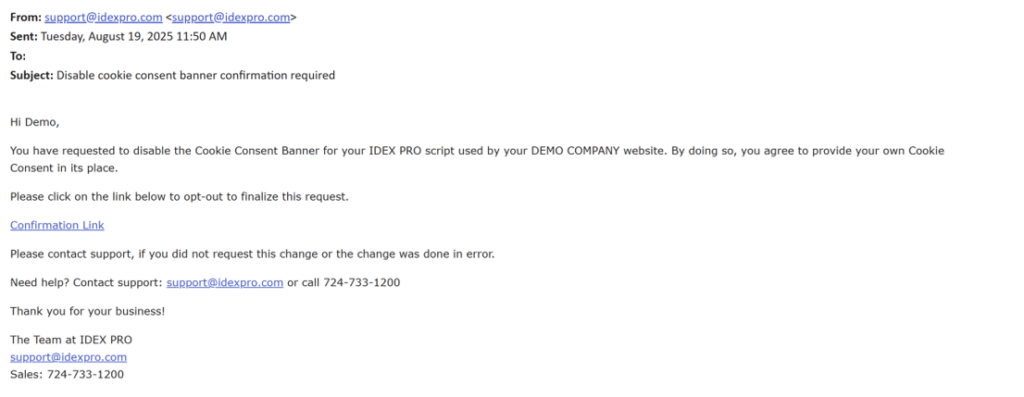
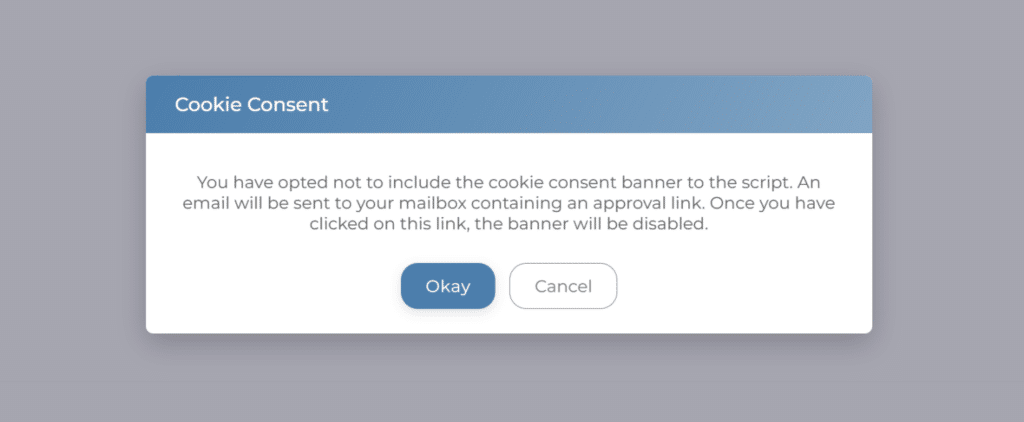
A link will go to your email to confirm you are disabling the cookie consent banner, and a new script will be available to you. Select the Confirmation Link in the message to complete the process.