
What is your tracking script?
The installation script is a critical component for your website to enhance visitor identification and analytics capabilities. Embedded into the backend of your site, this code works silently yet efficiently, operating as the primary mechanism for tracking and understanding visitor behavior. By installing the script, you can unlock valuable insights about their audience, including which person or company was visiting, which pages are most visited, how long visitors stay, and more. This information is pivotal for tailoring user experiences, optimizing website performance, and improving overall engagement strategies. The tracking script serves as the foundation for IDEX Pro. It enables precise analytics and fosters a deeper connection between websites and their visitors.
Where to find your script:
Log in to your IDEX Pro dashboard.
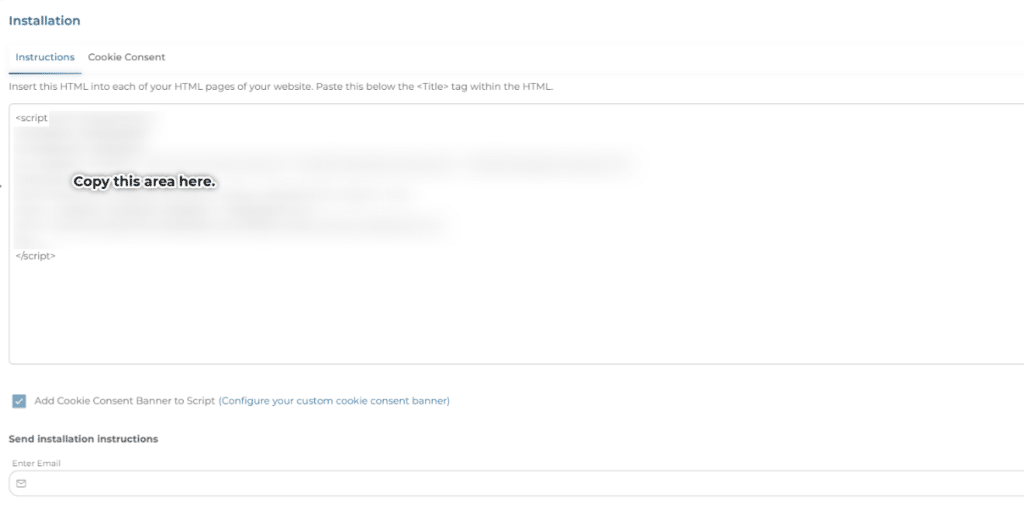
Go to ‘Configuration -> Installation‘.
The ‘Instructions’ tab will already be selected for you. Copy the entire HTML. The HTML starts with <script> and ends with </script>. (We have blurred our script.)
Paste it into your website’s header, footer, or body. We recommend putting the script into the footer to track all pages.
Click Here for instructions on adding your IDEX Pro script to your site.