IDEX Pro offers three different suppression features.
- Suppression List
- Known Customers
- Local Filter Suppression
If you are looking for ID matches in exclusive regions, our state-by-state filter is how you will go about limiting the data gathered from your web traffic to only those who are viable contacts.
How to apply a Local Filter:
Step 1:
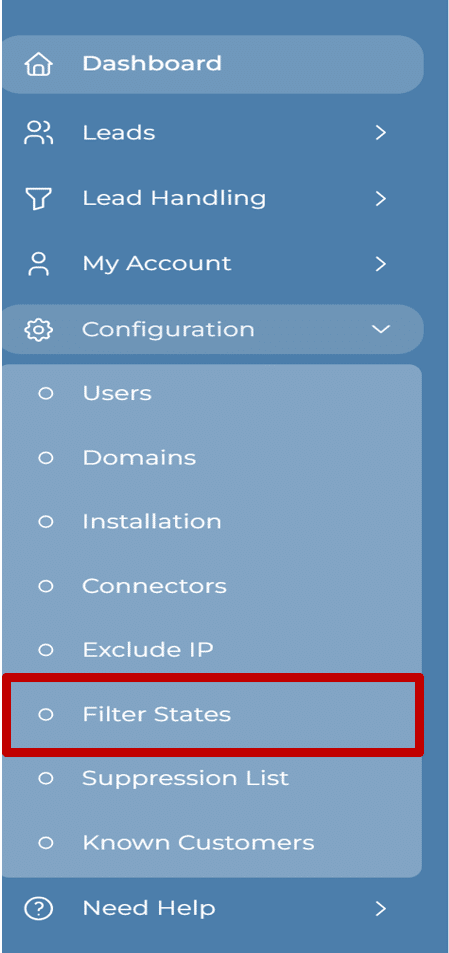
From your IDEX Pro account dashboard, go to the ‘Configuration‘ menu and select ‘Filter States‘.
Step 2:
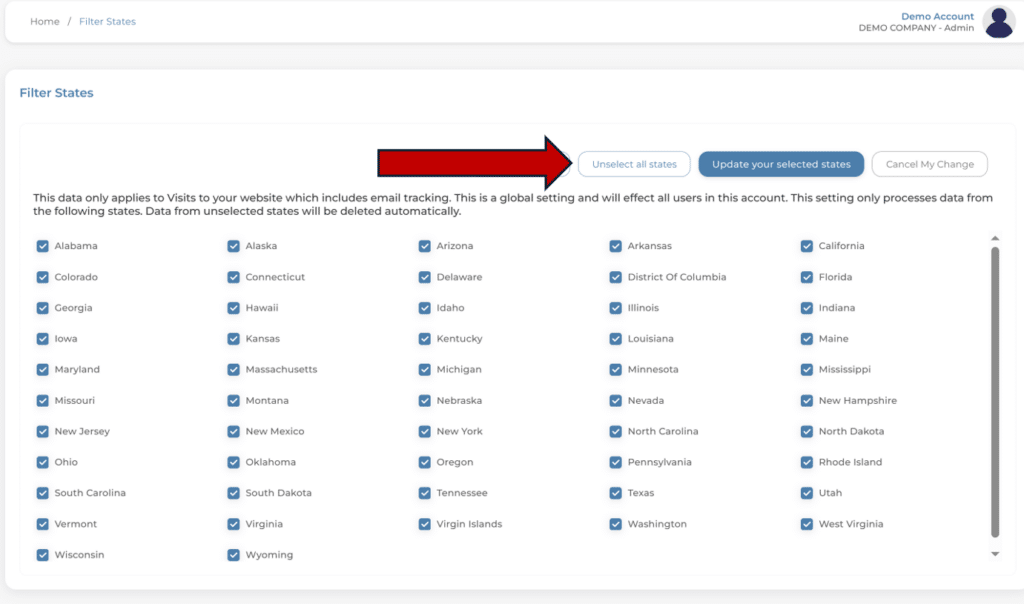
Next, you will choose the states you would like to receive data from.
If you only wish to select a small number of states, it might be easiest to ‘Unselect all states’ and check the ones you do want.
Step 3:
Once you have completed your edits, select ‘Update your selected states’ to set your Suppression List.
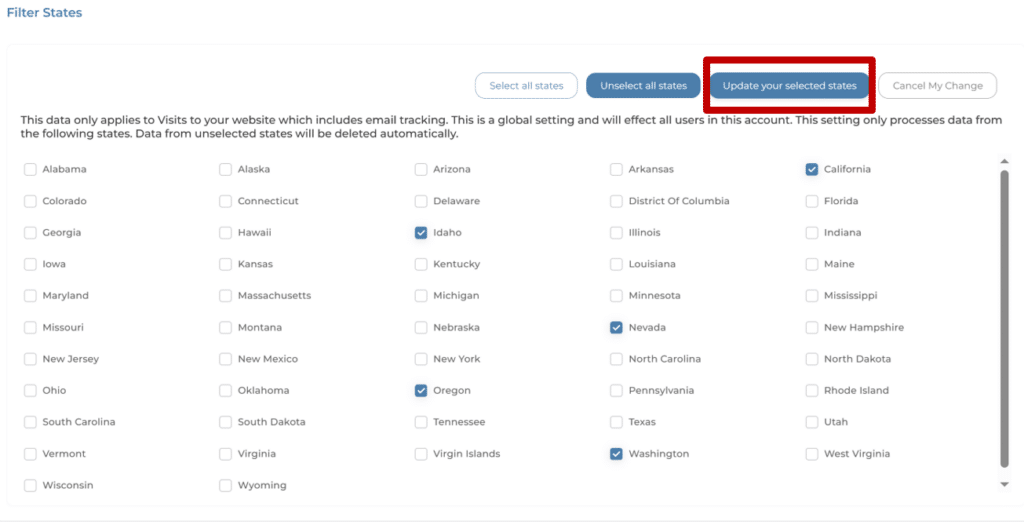
That’s it. Your edits have been saved, and IDEX Pro will only supply IDs from within your selected states.