
The Suppression List is one of our multiple suppression features. Also included among the features are the Known Customers and a Local Filter for those customers only requiring match data from web visitors within set states.
What is a Suppression List?
The Suppression list, or the Legal Do Not Track (Legal Suppression), are contacts you never want to know about. Any level of a legal requirement (such as CCPA) is added to this list. There is no cost to this; you will never see the data.
What is the difference between the Suppression List and Known Customers?
Visits to your website by Known Customers are tracked in your export file. Suppression List contacts do not appear in your export files. You are not charged for names on either list.
How to upload your Suppression List.
Step 1:
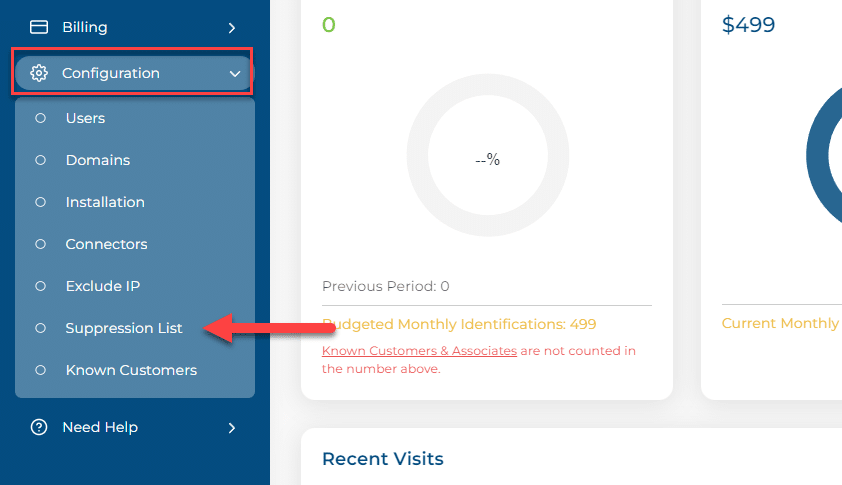
From your IDEX Pro Dashboard, go to ‘Configuration-> Suppression List‘.
Step 2:
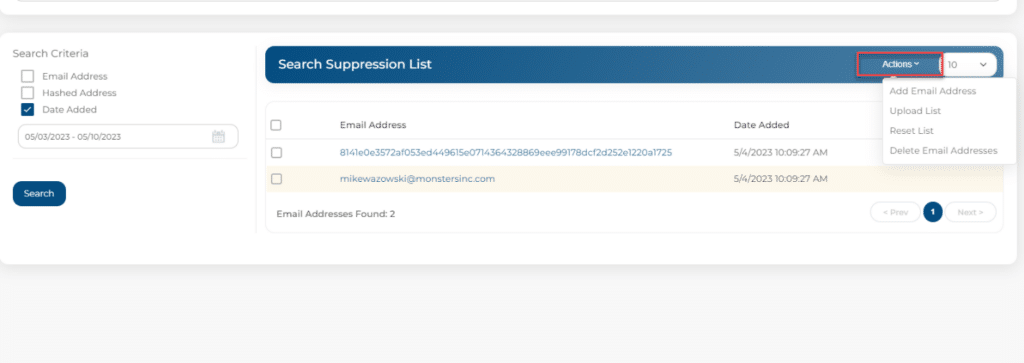
When uploading to your Suppression List, you can add the email address itself or upload a hash file. Select ‘Actions‘ to upload your emails from the drop-down menu.

You can add an email address or hash file with the Add Addresses or Upload Suppression List. For this example, we will be manually adding the addresses.
Step 3:
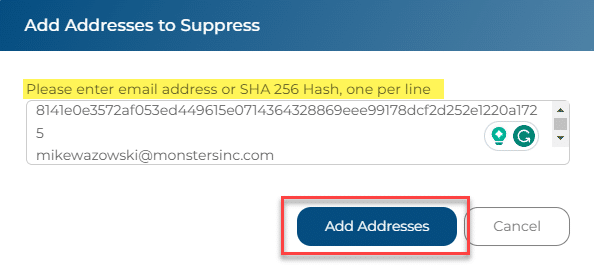
When Selecting Add Addresses:
Input your hash file and/or email addresses and select ‘Add Addresses.’
Step 4:
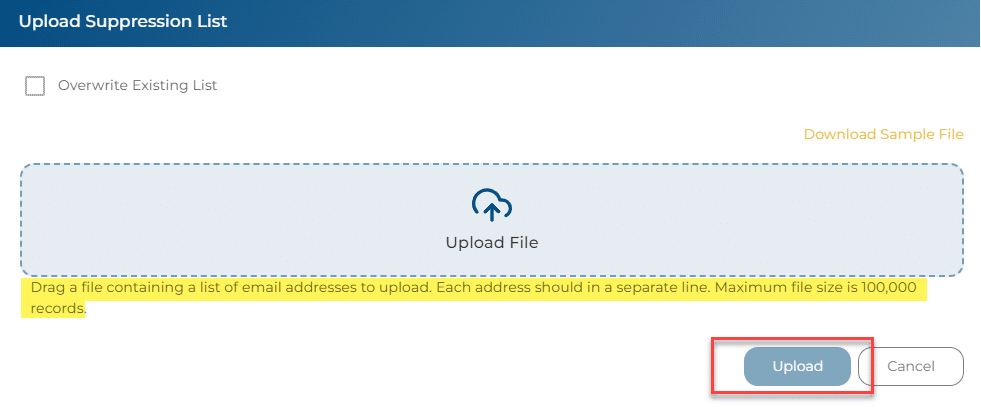
When Choosing Upload a Suppression List:
Select ‘Upload Suppression List’ and choose your file, then select Upload.
This file MUST be a CSV with headers.
You can find an example template in your Upload Known Customers screen.
You’re done!
Once you’ve input your addresses and/or hash files, your list will be updated, and nothing else needs to be done. You will see your suppression contacts on the screen.