
This article will cover the following:
- Why do some leads come back with more information than others?
- How to search leads
- How to export lead data
Why do some leads come back with more information than others?
There are a number of different reasons data would be received differently from person to person. Data collection is fluid, making it complex, but let’s cover a few basics.
Reasons why some people have more data than others:
- What information is available differs from person to person
- Head of household data versus individual
- Server reassignment
- Using a computer at work versus at home
- Visitor could be using a VPN
- Limited data for that person
First Name, Last Name, and Email Address are the minimum for successful identification. Everything else is enriched data.
What is the Search Leads function?
Your Search Leads menu allows you to query your website leads.
How to search your leads:
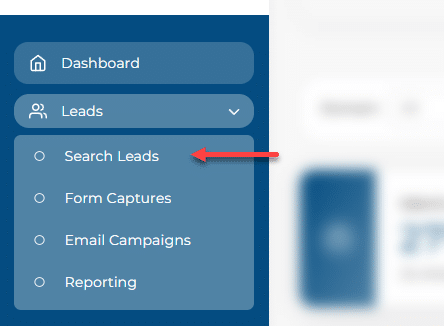
In your dashboard, go to ‘Leads -> Search Leads‘. This will pull up your visitors from the last 7 days. You can also change the date range to customize your lead data.
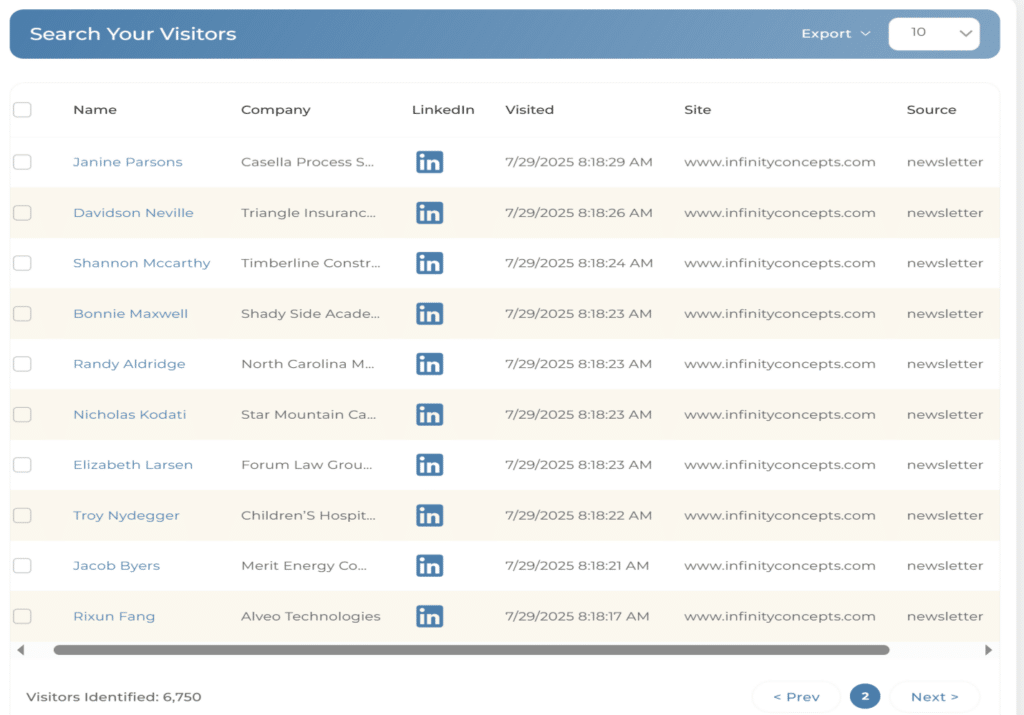
To view more information on your lead, simply click on the name, and the visitor details will come up in a pop-up window.
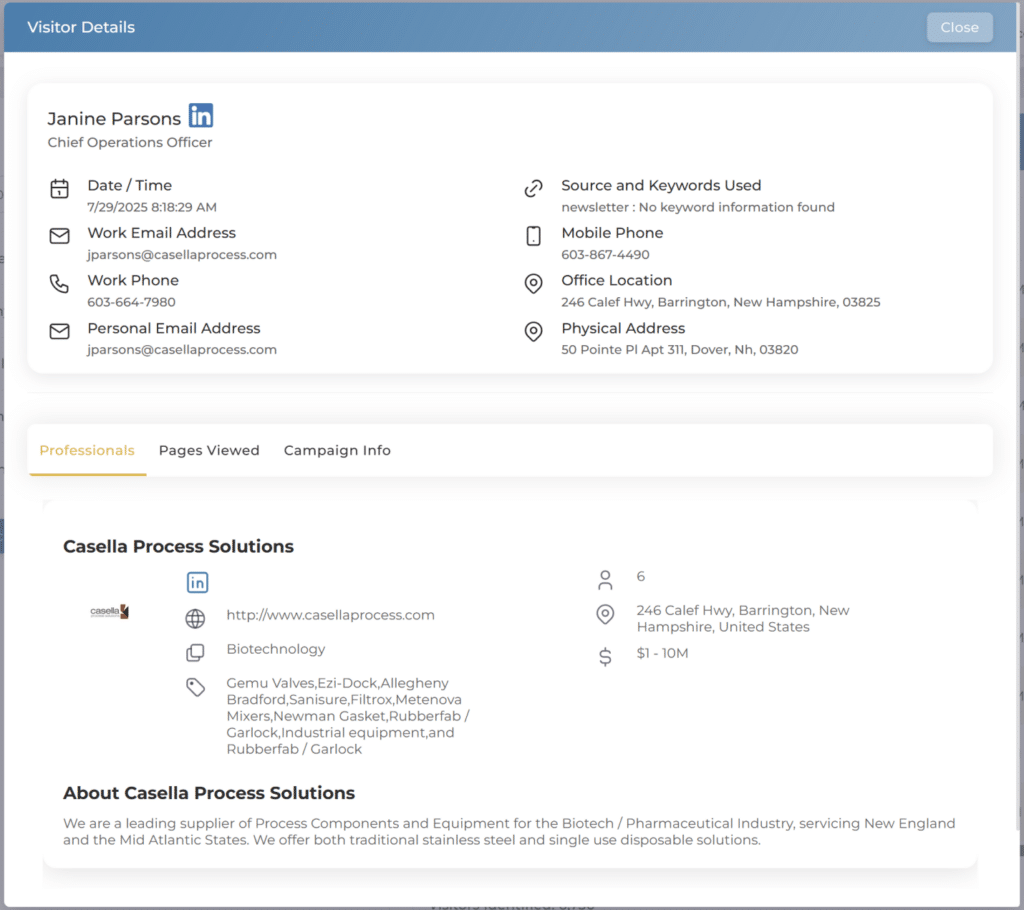
You can customize which leads you are looking for in an advanced search. How you filter the data will change the top 10 leads you see in your entries. For example, changing the date range or searching for a specific demographic. This helps you break down your leads into customizable data. You can also adjust your lead menu to show more than 10 leads at a time.
How do I export lead information?
Exporting your lead information is easy.
From your IDEX Pro dashboard, go to ‘Leads -> Search Leads’ and from there you can query the lead data you wish to download or run the preset report of the last week.
At the top of your search leads page, there are a CSV symbol and an Excel symbol. Click on either one of those to download the list of leads that have visited your website.
Search Leads
Export to CSV or Excel
